Work
EN FR
Case study · LiteFarm · 2024 · 9 min read

The farmers didn't want smarter sensors.

A precision-irrigation research project at LiteFarm, spanning IoT soil sensors, variable-rate systems, and automated pivots. The evidence overturned a brief that asked for more technology. Led solo, research to delivery.

Client
LiteFarm
Role
Lead UX Designer (Solo)
Year
2024
Disciplines
Precision agricultureIoTUX researchAI-enhanced designProduct design
The farmers didn't want smarter sensors.

The brief assumed smarter irrigation. The research pointed the other way.

LiteFarm's Smart Irrigation project arrived with an assumption baked in: farmers needed more technology. IoT soil-moisture sensors, variable-rate irrigation, automated pivots that dose water by the square metre. My brief was to design for that future.

The evidence overturned it. The farmers I interviewed wanted technology that asked less of them.

LiteFarm is an open-source farm management platform that, by the project's own count, is used in 160+ countries. I was the sole designer, covering research, strategy, UI, and delivery alone. Which meant I also had to get fluent, fast, in a precision-agriculture domain no one on the team knew well enough to pressure-test a stakeholder brief against. This is how I did that, and what it changed.

Before I could optimise anything, I had to understand what the job actually was, beyond the job description.

In a fully staffed design org, this work would be distributed across a UX researcher, a product designer, a UI designer, a design strategist, and someone managing the design system and web presence. At LiteFarm, that someone was me.

The full scope included user research and synthesis across multiple farmer segments; market and domain research on emerging agricultural technology; UX strategy and product direction input; journey mapping, wireframing, and prototyping; pixel-perfect UI design and delivery; website design and marketing materials; and close collaboration with developers, product managers, and external stakeholders.

The real risk was doing all of it poorly, moving so fast that the things that matter, the research, the real user needs, the thinking, got skipped in favour of outputs that looked like progress.

I didn't accept that trade-off. Instead, I rebuilt the process.

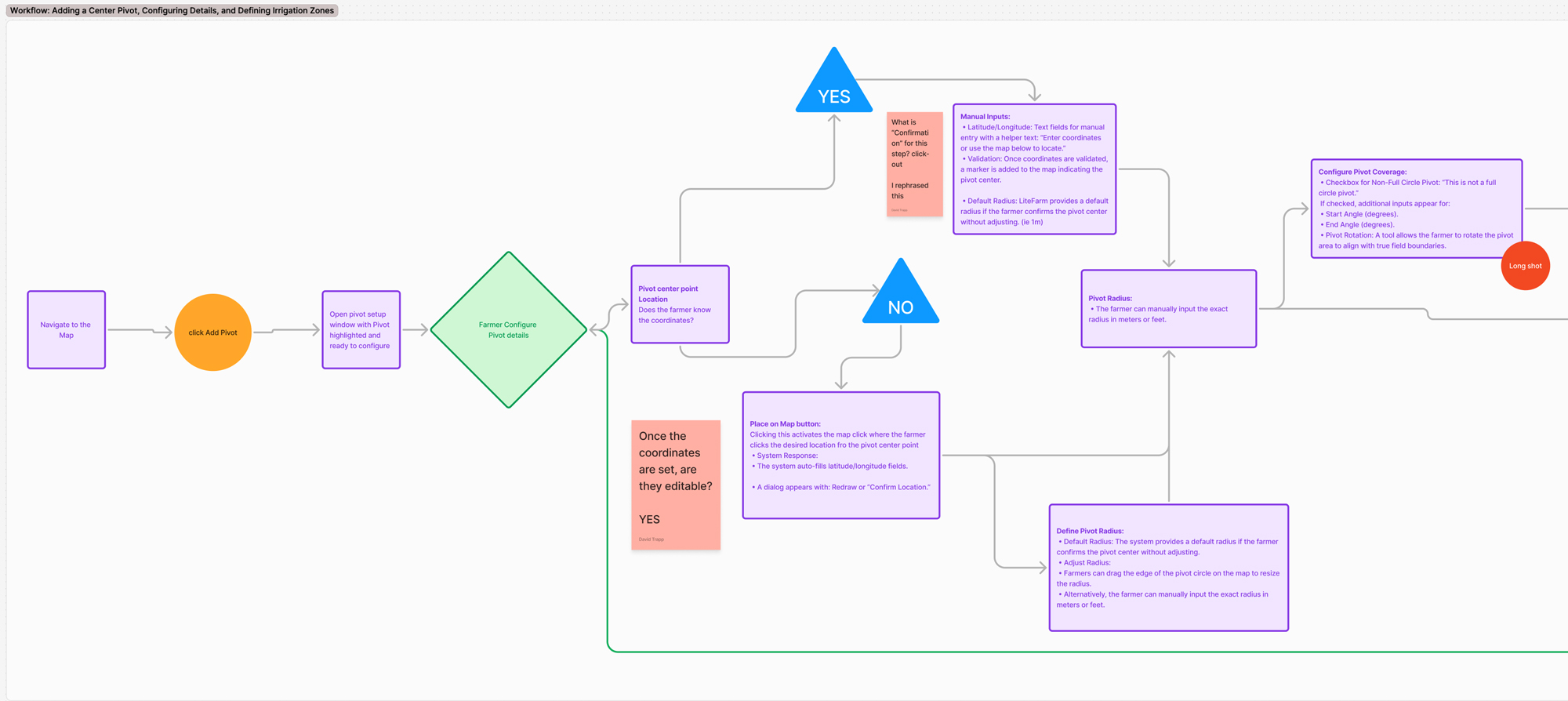
Overview of LiteFarm design workspace in Figma

Before reaching for any tool, AI or otherwise, I mapped where the real friction was.

Three patterns showed up immediately.

Time lost in translation. Raw research data, hours of interview recordings, pages of notes, was sitting too far from the decisions being made. The gap between "we talked to farmers" and "here's what they need" was too wide and too slow.

Domain knowledge gaps creating bottlenecks. Smart Irrigation meant evaluating IoT soil sensors, variable-rate irrigation, and automated pivots, and no one on the team had the technical background to judge what was feasible, what was meaningful, and what was just tech for tech's sake. That gap was slowing everything down.

Cognitive fragmentation. Constantly switching between research mode, strategy mode, and craft mode is expensive. Every context switch costs time and depth. Without a system, the work was reactive.

The answer was to figure out which parts of the process genuinely required human judgment, and which parts could be accelerated without losing quality.

How I use AI in the process

The tools matter less than the method.

The pipeline I built has five stages. Each one is a deliberate decision about where AI amplifies the work, and where I stay fully in control.

Stage 01

Domain immersion

Specialised projects require background knowledge that takes weeks to build through traditional desk research.

AI handles
  • Synthesising research papers, industry reports, and technical documentation into structured summaries
  • Building a domain briefing that gets me to informed quickly
Gemini Deep ResearchNotebookLM
I own
  • Deciding what is relevant
  • Identifying where literature diverges from lived reality
  • Formulating interview questions that test assumptions rather than confirm them
Result: I went from knowing nothing about a domain to running credible expert interviews within days.
Stage 02

Research synthesis

20 hours of recordings is raw material. Turning it into something usable is where most teams take too long or go too shallow.

AI handles
  • Transcript processing and initial tagging
  • Surfacing recurring language and themes across sessions
  • Flagging tensions and contradictions
Google MeetClaudeZoom
I own
  • Deciding which patterns matter
  • Understanding the emotional context behind the words
  • Distinguishing between what farmers say and what they mean
Result: 20 hours of recorded interviews from the livestock study, processed into structured findings in under 5 days. Solo.
Stage 03

Insight to decision

Research that doesn't change decisions is decoration. The hard part is getting people to act on it.

AI handles
  • Formatting, structuring, and drafting supporting documentation
  • Initial clustering of affinity data
  • First-pass UX copy
ClaudeFigJam
I own
  • The argument and the framing
  • Which findings go at the top of the page and why
  • The conversation that turns a document into a decision
Stage 04

Design and prototyping

Moving from insight to interface requires both systems thinking and visual craft. AI helps switch between modes without losing momentum.

AI handles
  • Generating annotation copy
  • Checking consistency against the design system
  • Drafting component documentation and design decision summaries
FigmaFigJamClaude
I own
  • Every design decision
  • Layout, hierarchy, interaction logic, visual language
  • The craft, this is where I stay fully human, on purpose
Honest note: This is also where AI currently falls shortest. Rapid AI-generated prototypes still require significant human rework to reach production quality.
Stage 05

Delivery and documentation

Pixel-perfect delivery requires more than good files. It requires context, why decisions were made, what edge cases were considered, what the developer needs to know.

AI handles
  • First drafts of handoff documentation
  • Accessibility notes and component specs
ClaudeFigma
I own
  • The final review
  • The developer conversation
  • The quality bar
Stage 1 of 5
Stage 01

Domain immersion

The problem
Specialised projects require background knowledge that takes weeks to build through traditional desk research.
The method
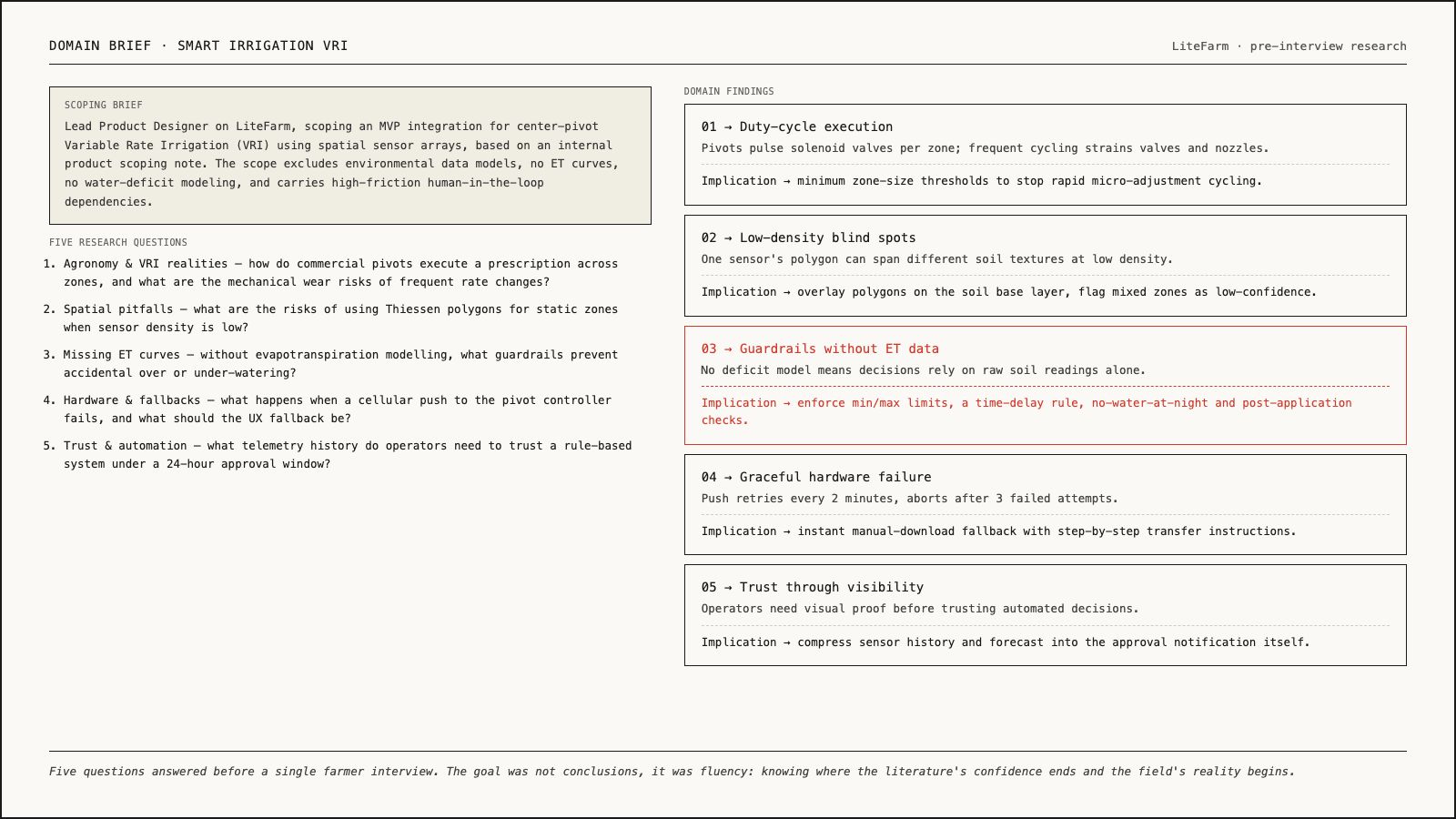
I use AI-assisted deep research (Gemini Deep Research, NotebookLM) to build a knowledge base fast, so I can arrive at interviews already fluent enough to ask the right questions.
AI handles
Synthesising existing research, academic papers, industry reports, and technical documentation into structured summaries. Building a domain briefing that gets me to informed quickly.
I own
Deciding what is relevant. Identifying where the literature diverges from lived reality. Formulating the interview questions that test assumptions rather than confirm them.
The result
I can go from knowing nothing about a domain to conducting credible expert interviews within a few days.
Domain immersion brief for Smart Irrigation VRI, five research questions and findings
Stage 02

Research synthesis

The problem
20 hours of interview recordings is raw material. Turning it into something usable is where most teams either take too long or go too shallow.
The method
I use a combination of auto-transcription (Google Meet, Zoom), AI-assisted thematic clustering (Claude), and manual sense-making. The AI handles the first-pass pattern recognition. I handle the interpretation.
AI handles
Transcript processing, initial tagging, surfacing recurring language and themes across sessions, flagging tensions and contradictions.
I own
Deciding which patterns matter. Understanding the emotional context behind the words. Distinguishing between what farmers say and what they mean.
The result
20 hours of recorded interviews with livestock farmers, processed into structured user flows and qualitative insight frameworks, in under 5 days. Solo.
Coding pass: tagging recurring language before it becomes an affinity diagram
Stage 03

Insight to decision

The problem
Research that doesn't change decisions is decoration. The hardest part of the process is getting the findings to land.
The method
I use AI to help structure findings into formats that work for different stakeholders, affinity diagrams, empathy maps, journey maps, prioritised insight summaries. The structure makes the findings navigable. The argument makes them persuasive.
AI handles
Formatting, structuring, and drafting supporting documentation. Initial clustering of affinity data. First-pass UX copy.
I own
The argument. The framing. Which findings go at the top of the page and why. The conversation with stakeholders that turns a document into a decision.
Livestock farmer research affinity diagram in FigJam
Stage 04

Design and prototyping

The problem
Moving from insight to interface requires both systems thinking and visual craft. These are genuinely different modes, and AI helps me switch between them without losing momentum.
The method
Figma and FigJam as the primary environment, with AI assistance for documentation, annotation, and pattern checking. The design itself stays hand-crafted.
AI handles
Generating annotation copy, checking consistency against the design system, drafting component documentation, and summarising design decisions for developer handoff.
I own
Every design decision. Layout, hierarchy, interaction logic, visual language. This is where I stay fully human, on purpose.
Honest note
This is also where AI currently falls shortest. Rapid AI-generated prototypes still require significant human rework to reach production quality. I use AI here to speed up specific tasks. The craft doesn't get outsourced.
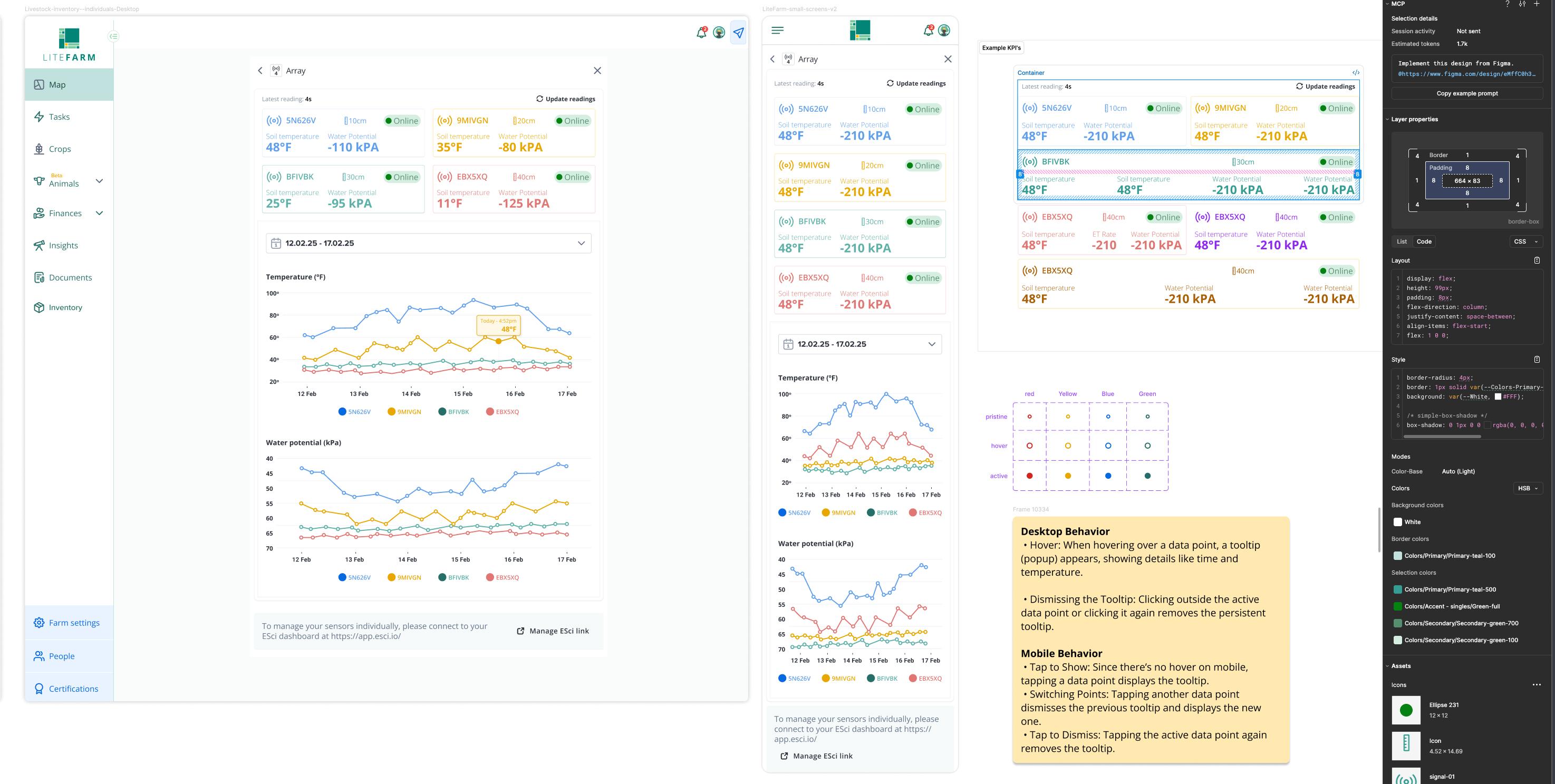
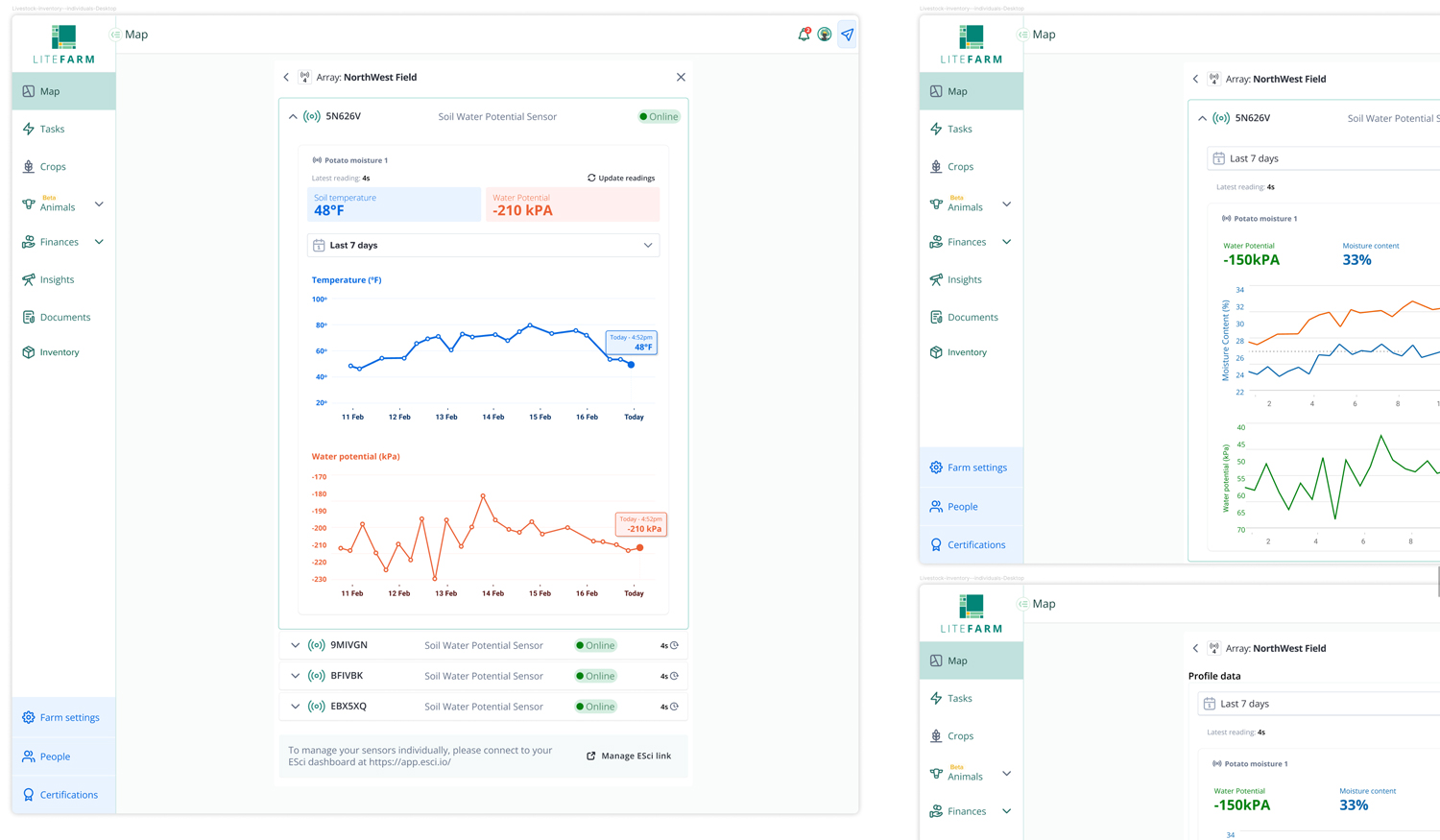
LiteFarm UI design and component library in Figma
Stage 05

Delivery and documentation

The problem
Pixel-perfect delivery requires more than good files. It requires context, why decisions were made, what edge cases were considered, what the developer needs to know.
The method
AI-assisted documentation drafting (Claude for handoff notes, rationale summaries, and design specs), combined with manual review and developer collaboration.
AI handles
First drafts of handoff documentation, accessibility notes, and component specs.
I own
The final review, the developer conversation, and the quality bar.
LiteFarm developer handoff documentation in Figma
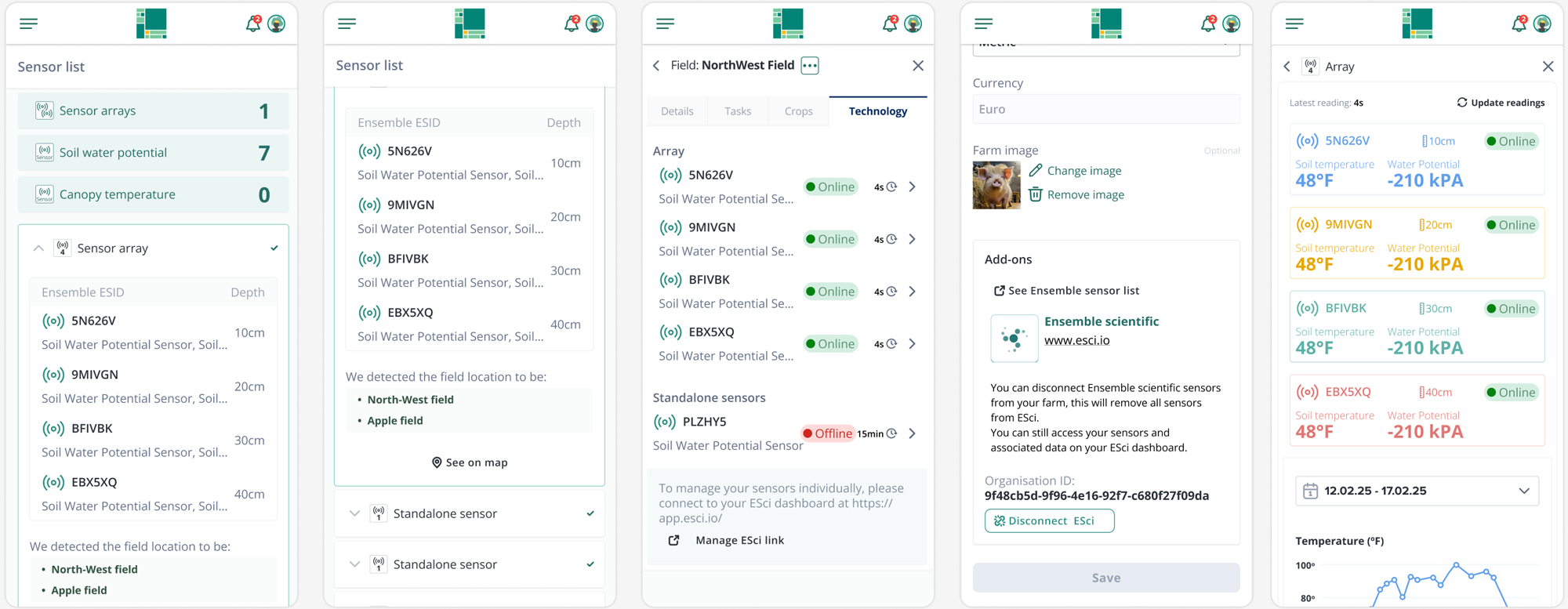
Mobile screen across smart irrigation
Smart Irrigation · LiteFarm · 2024

When the Smart Irrigation project landed, the brief came with an assumption baked in: farmers needed more technology, from IoT soil-moisture sensors and variable-rate irrigation to automated pivots that dose water by the square metre.

The problem was that no one on the team, including me, knew enough about the domain to pressure-test that assumption. And the stakeholder pressure to move toward advanced precision-ag tech was strong.

I started with domain immersion. Gemini Deep Research gave me a fast, structured understanding of precision irrigation: the sensor hardware, variable-rate and pivot systems, the research directions, the adoption patterns. NotebookLM helped me interrogate technical papers and sensor research in a way that surfaced the real questions underneath the obvious ones.

Then I went into the field, in a structured way.

First, I interviewed researchers and engineers working on smart sensors and precision irrigation, to understand why the field kept pushing for more tech, what they were trying to solve, and what they assumed about the farmers they were designing for.

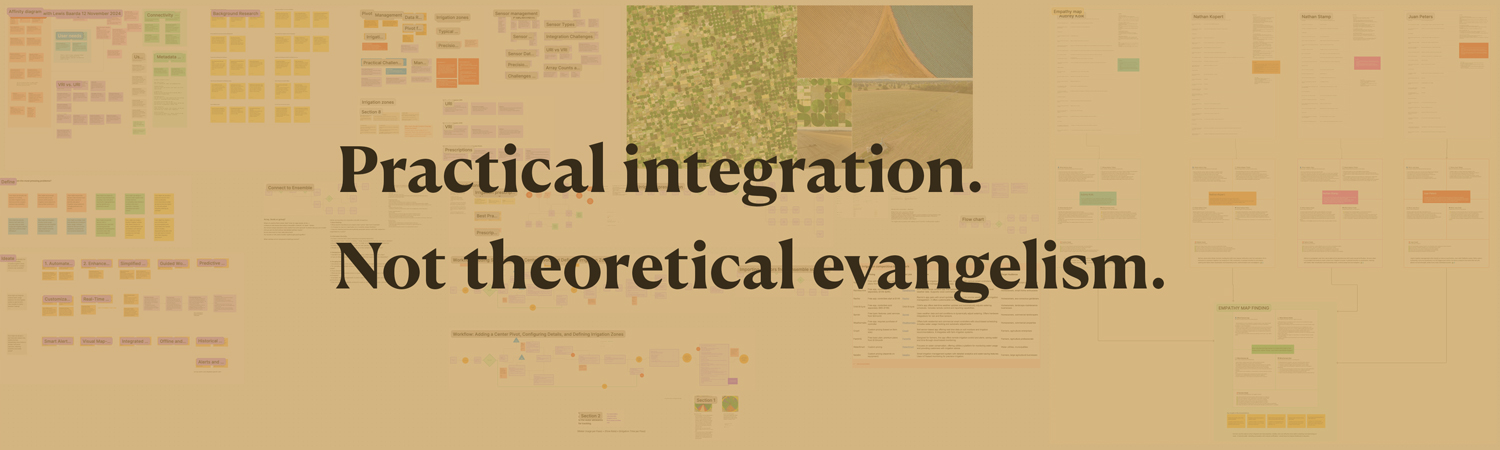
Then I ran structured interviews with six farmers, translated them, and processed them into a large-scale affinity diagram and a detailed empathy map.

The farmers were not asking for more technology. They were asking for less. More specifically: systems that didn't add to their cognitive load, that worked in low-connectivity environments, that didn't require them to learn a new interface every season, and that didn't assume a level of technical literacy most of them didn't have and didn't want.

The research changed what got built.

Features that had been prioritised based on technical possibility were deprioritised. The product direction shifted from "how do we give farmers more data" to "how do we give farmers clearer decisions." That brief produced a different product.

That shift happened because the research process was rigorous enough to hold up against stakeholder pressure. The affinity diagram and the empathy map were the evidence.
Smart Irrigation research insight: assumption versus reality The brief assumed What the team expected • More sensors, more data • Richer tech dashboards • Advanced interfaces • Feature-led product brief 6 farmers interviewed What farmers needed Research reality • Less cognitive load • Works in low connectivity • No new interface to learn • Clearer decisions product direction, before and after original brief Give farmers more data. research-revised brief Give farmers clearer decisions.
Smart Irrigation affinity diagram showing scale of farmer interview synthesis
Farmer empathy map from Smart Irrigation research
Smart Irrigation empathy map

Where AI ends and judgment begins

AI is genuinely useful for pattern recognition at scale, for first-pass synthesis, for domain briefings, for drafting documentation, and for cutting the distance between raw data and structured insight.

AI is not useful for deciding what matters, for reading the emotional register of a farmer who's frustrated but polite, for knowing when a design pattern is technically correct but humanly wrong, or for the moment in a stakeholder meeting when the data says one thing and the room wants another, and someone has to hold the line.

Those moments are judgment problems, and judgment is not a feature you can add to a pipeline.

The practice I built at LiteFarm protects the thinking by automating the right things around it.

5
Roles covered

Research, strategy, UX, UI and delivery, covered alone, with no extra headcount.

<5
Days to synthesis

20 hours of livestock-study interviews to structured findings. Solo.

6
Farmers interviewed

Structured interviews for the irrigation research.

↗
Direct product impact

The Smart Irrigation research directly changed what got built. Brief shifted from "give farmers more data" to "give farmers clearer decisions." Not faster design, better decisions.

What it delivered

Five roles, one person

Research, strategy, UX, UI, and delivery were all covered without handing off the responsibility for quality.

Research at the speed decisions need

20 hours of livestock-study interviews processed into usable findings in under 5 days, with a process I could run again.

Domain knowledge in days

Precision irrigation, IoT sensors, and variable-rate systems required deep knowledge fast. The AI-assisted immersion process meant credible interviews with domain researchers within days of first encountering the field.

Design decisions that changed the product

The Smart Irrigation research directly redirected the product brief.

Final LiteFarm UI screens delivered
LiteFarm website design and marketing materials

The reusable playbook

01
Protect the thinking, automate the scaffolding

AI should handle the parts of the process that don't require human judgment, formatting, drafting, first-pass clustering, documentation. The moments that require interpretation, empathy, and argument are yours. Keep them that way.

02
Arrive informed

Domain immersion before interviews is not optional. AI-assisted research briefings compress weeks of background work into days. Show up fluent enough to ask the questions that matter.

03
Research as evidence

The difference between research that changes decisions and research that gets filed is structure. Affinity diagrams, empathy maps, and insight hierarchies are arguments. Build them like you intend to win with them.

04
Know where AI fails

Rapid prototyping, emotional nuance, handling stakeholders, and final visual judgment are not AI problems. Treat them like they are, and you will ship the wrong things faster.

05
Not yet tested on a team

So far the pipeline has run with one designer, and carrying it to a team of two, five or twenty is still untested.

The work I do is research-driven and hands-on. I think at the strategy level and stay in the craft. If you're building something that needs both, let's talk.

Ask the archive

Grounded in this site’s case studies and journal. It says when it doesn’t know. Questions are recorded so Loïc can see what the site fails to answer. Nothing else is stored.

About this assistant ↗